

Comprehensive Guide to Ledger Hardware Wallets and Model Comparison in 2025
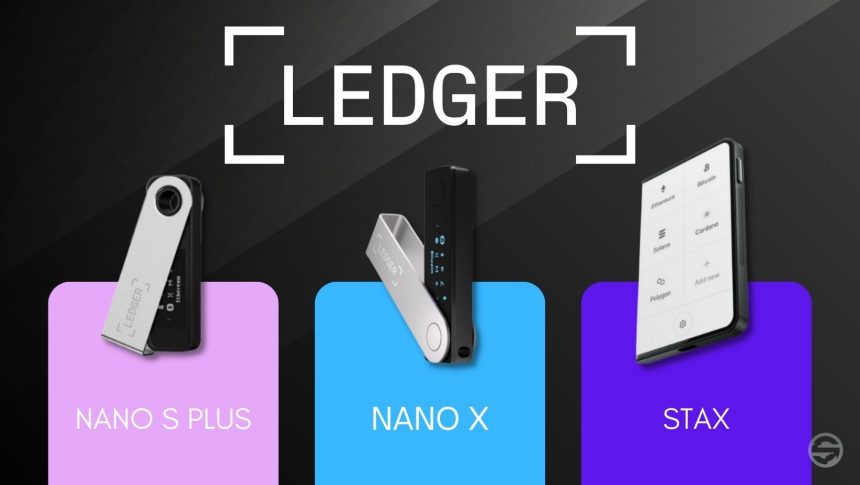
The security of digital assets depends on making the right decisions. This article provides an in‑depth and unbiased review of Ledger hardware wallets, including Nano S Plus, Nano X, and Ledger Stax. The focus is on security, user experience, compatibility, and practical choices for different needs.
Why We Choose Hardware Wallets
Hardware wallets keep your private keys in a secure offline chip and reduce the risk of theft through malware or phishing. Transactions are only signed when you review and confirm them on the device, so even if your computer or mobile is compromised, the private key never leaves the device.
- Private key isolation: Keys are never sent to the computer or internet; signing happens inside the device.
- Physical confirmation: Each transaction is displayed on the device screen and confirmed with a button or touch.
- Protection against phishing: Seeing the destination address and amount on the device prevents software manipulation.
- Standard recovery: Using a
BIP39recovery phrase allows restoration on compatible devices.
Introduction to Ledger’s Main Models in 2025
Ledger currently offers several main models covering a range of needs: from economical storage to advanced user experience. Below is a detailed view of each model and their key differences.
Model | Display | Connection | Battery | App Capacity | Use Case | Approx. Price |
|---|---|---|---|---|---|---|
Ledger Nano S Plus | OLED two‑line display | USB‑C | None | Over 100 apps | Beginner users, long‑term storage | $59 |
Ledger Nano X | Larger OLED display | USB‑C + Bluetooth | Yes (rechargeable) | Over 100 apps | Active users, mobile management | $99 |
Ledger Stax | Large E‑Ink touchscreen | USB‑C + Bluetooth + wireless charging | Yes (high capacity) | Over 500 apps | Professional investors, premium experience | $399 |
Ledger Flex | Flexible color touchscreen | USB‑C + NFC | Yes | Over 300 apps | Modern users, fast payments, digital lifestyle | $249 |
Ledger Nano Gen5 | Upgraded OLED display | USB‑C | None | Over 150 apps | Home users, replacement for older generation | $179 |
Quick Summary: Nano S Plus is secure and economical, Nano X offers a good balance of features and price, and Stax delivers the highest user experience with its large touchscreen.
Security and Technical Architecture in Ledger
Ledger’s security is built on the Secure Element chip and proprietary BOLOS operating system. This combination keeps private keys in a compartment resistant to physical and software attacks and ensures signing happens only within the device.
- Secure chip: Designed to resist side‑channel attacks and physical intrusion.
- Proprietary OS: BOLOS secures app management, access control, and transaction signing.
- Standard recovery words: 12‑ to 24‑word BIP39 phrase with optional passphrase for layered protection.
- On‑device confirmation: Amount, address, network, and fee are displayed and confirmed directly on the device.
- No key leakage: Even with Bluetooth, sensitive data never leaves; only prepared transactions are transmitted.
Best security practice is to store the recovery phrase completely offline on durable paper or special cards, and avoid photographing or saving it digitally.
User Experience and Asset Management
Daily asset management is done with the Ledger Live app, Ledger’s official software for Windows, Mac, Linux, and mobile. Through this app you can view balances, send transactions, stake certain coins, and securely connect to third‑party applications.
- Ledger Live: Portfolio management, sending and receiving, profit/loss tracking, and selected staking.
- Third‑party wallet connections: Supports integration with MetaMask, Keplr, Solflare, and others for DeFi and NFTs.
- Wide asset support: Thousands of coins and tokens via official or third‑party apps.
- Advanced control: Displaying derivation paths, selecting accounts, and thoroughly verifying transaction data.
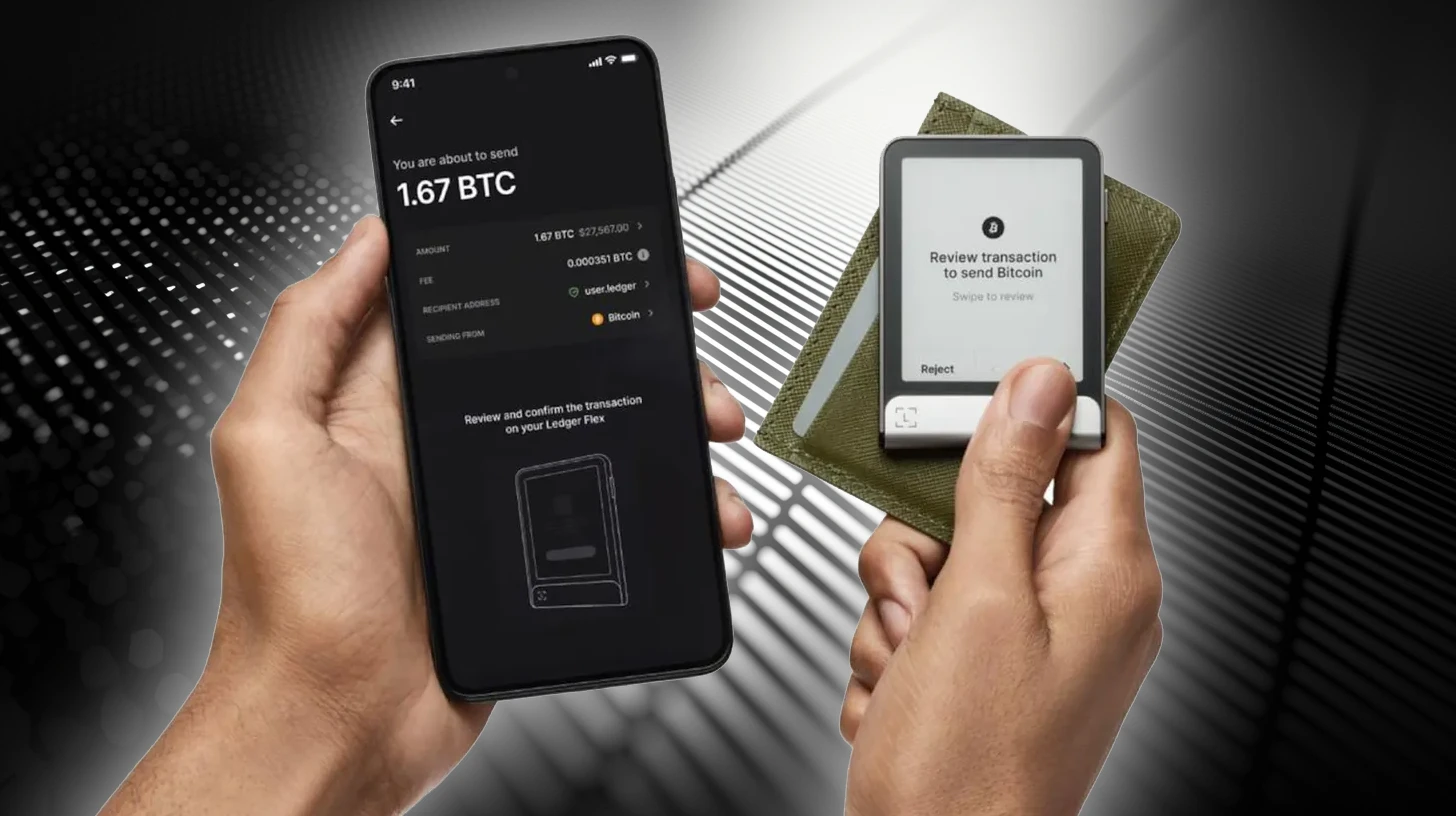
Ledger Flex (New Model 2025)

• Flexible color touchscreen with modern design
• NFC connectivity for fast payments
• Focus on mobile experience and digital lifestyle
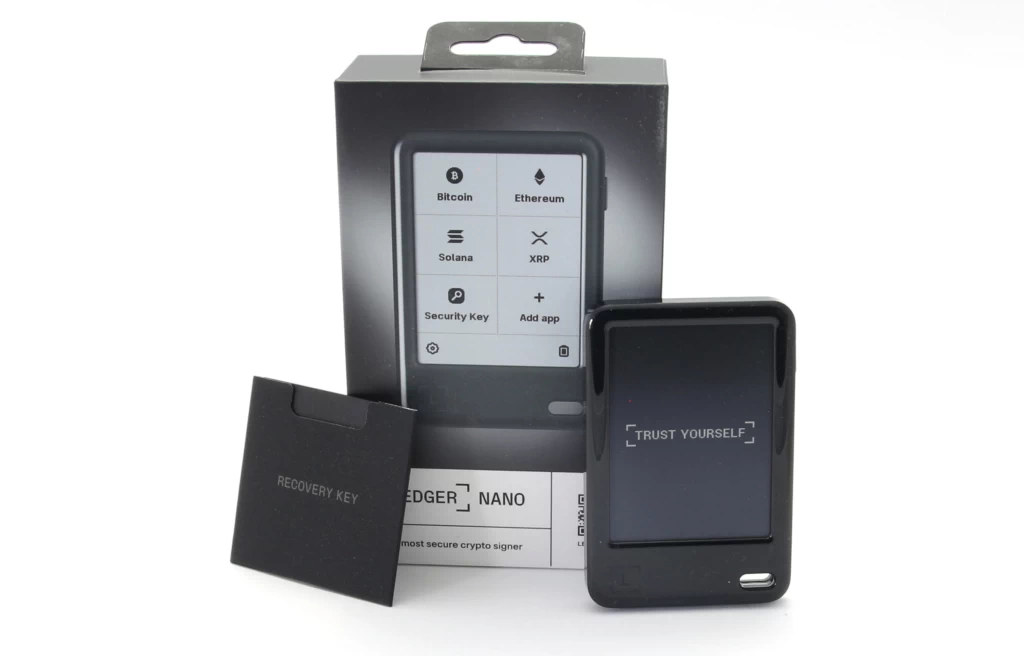
• Suitable for those managing not only crypto but also digital identity and loginsLedger Nano Gen5 (New Model 2025)

• Fifth generation Nano with enhanced security and faster performance
• Upgraded OLED display
• Mid‑range price, suitable for home users
• Potential replacement for Nano S Plus in the future
Overall Pros and Cons of Ledger Compared to Competitors
- Pros: Secure chip and millions of users’ experience, integrated Ledger Live app, broad compatibility with third‑party wallets, build quality, and regular updates.
- Considerations: Closed‑source code in parts of the OS; reliance on the manufacturer for updates; sensitivities related to optional recovery services.
- Summary: For many users, Ledger’s combination of practical security and smooth user experience makes it a reliable and balanced choice.
Choosing the Right Model Based on Real Scenarios
- Long‑term storage with limited budget: Nano S Plus offers the best security‑to‑price ratio.
- Mobile management and frequent transactions: Nano X provides a smooth experience with Bluetooth and battery.
- Large portfolio and need for full visibility: Stax, with its large touchscreen and wireless charging, makes precise signing easier.
- Multi‑network user with third‑party apps: All three models are supported via Ledger Live and compatible wallets; choose based on connection convenience and display preference.
Secure Setup Tips and Professional Use
- Buy from trusted channels: Purchase from official resellers or the manufacturer’s website; avoid second‑hand or opened devices.
- Check seal and authenticity: Verify packaging, serial number, and official guide; use initial connection to confirm the device.
- Create recovery phrase offline: Generate in a secure environment without cameras; write on durable paper or special cards; never take photos or digital files.
- Add a passphrase: For layered security, use a passphrase to create both visible and hidden wallets.
- Updates: Update firmware and apps periodically, but only after reviewing release notes.
- Risk diversification: For large portfolios, consider multiple devices or network separation.
- Practice signing: Before large amounts, perform a small test transaction and carefully read details on the device.
Frequently Asked Questions
Does Bluetooth reduce security?
Bluetooth in Ledger is used for non‑sensitive data transfer and app interaction; signing happens inside the device and the private key never leaves. However, if concerned, you can disable Bluetooth and use USB‑C.
What if the device breaks or gets lost?
As long as your recovery phrase is safe, you can restore assets on a new device or compatible wallet. The device is only a signing tool; assets remain on the blockchain.
Are all coins supported in Ledger Live?
Many coins and tokens are directly supported; for some networks, third‑party apps like MetaMask or dedicated wallets are used. Ledger still performs secure signing in these cases.
What is the difference between touchscreen and non‑touchscreen?
The touchscreen in Stax makes browsing and confirming details faster and more intuitive, with more space for text; in Nano models, buttons are simple and reliable, sufficient for precise confirmation.
The future of Ledger wallets
With the introduction of Flex and Gen5, Ledger has shown its future focus on integrating digital identity, everyday payments, and modern user experience. This evolution indicates that hardware wallets are no longer just for crypto storage, but are becoming comprehensive tools for managing assets and digital identity.